

01
Stop pasting into Excel
Sign-ups, lists and segments live in the same place as the form that creates them. A filter becomes a reusable list for your emails, with nothing to export.
Winston takes the attendee from sign-up to seat: forms in your brand, automatic emails, a ticket in the wallet, check-in from a phone. You set it up yourself, without waiting for anyone.
You publish your first event in one afternoon
Chosen by companies and agencies









Why Winston
This isn't "more efficiency". It's that some tasks disappear from your day, and the mistakes they brought with them disappear too.
Scroll the list
01
Sign-ups, lists and segments live in the same place as the form that creates them. A filter becomes a reusable list for your emails, with nothing to export.
02
Forms, layout, emails and check-in are all configured from the panel. No ticket to open just to change a field the night before the event.
03
The client's colours, fonts and CSS load into the form and the landing page. Signing up feels like part of the event, not part of somebody else's software.
04
The QR code sits in the wallet, the seat on the personal page, check-in on the staff's phone, with the right permissions for every role.
05
Confirmations, reminders and tickets go out on their own, in Italian or in English, with the form data inside. Replies come to your address.
What you can do
Every screen below is Winston exactly as it is today, not an illustration.
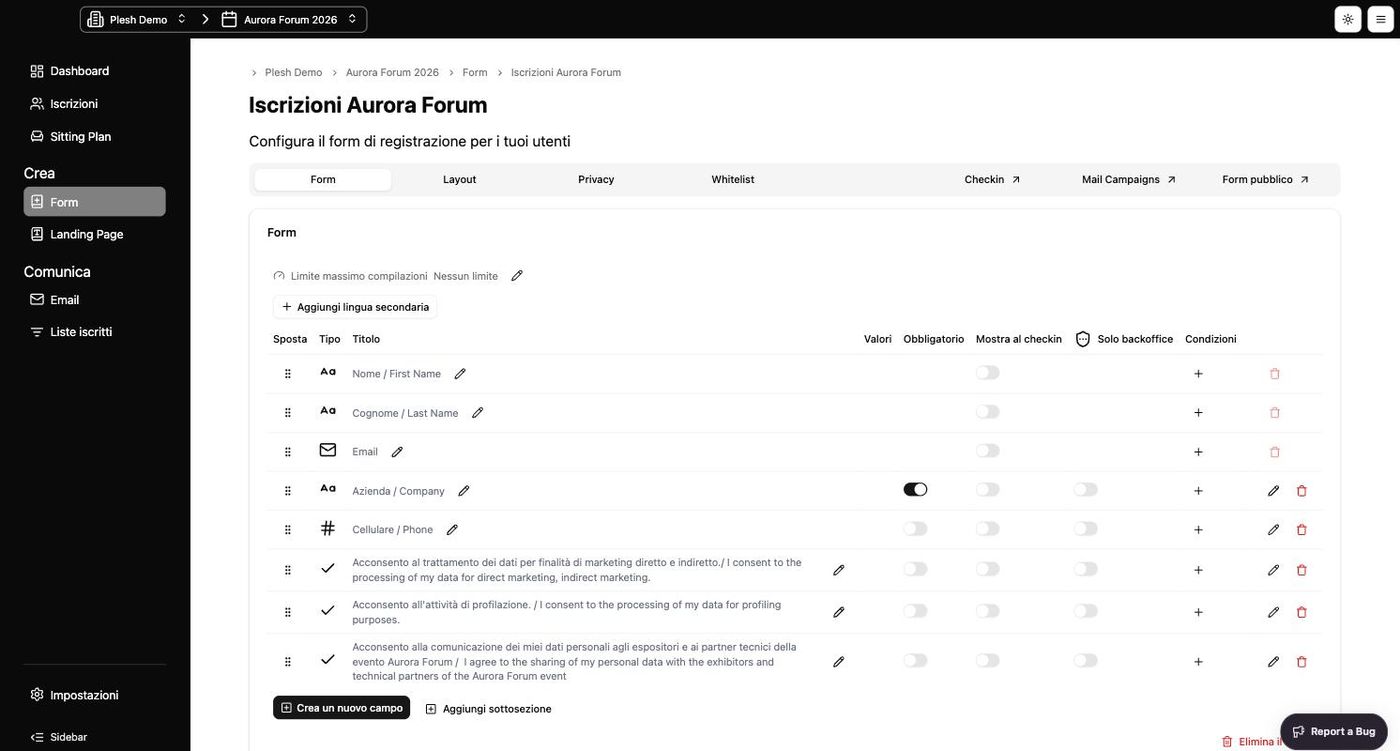
The registration form
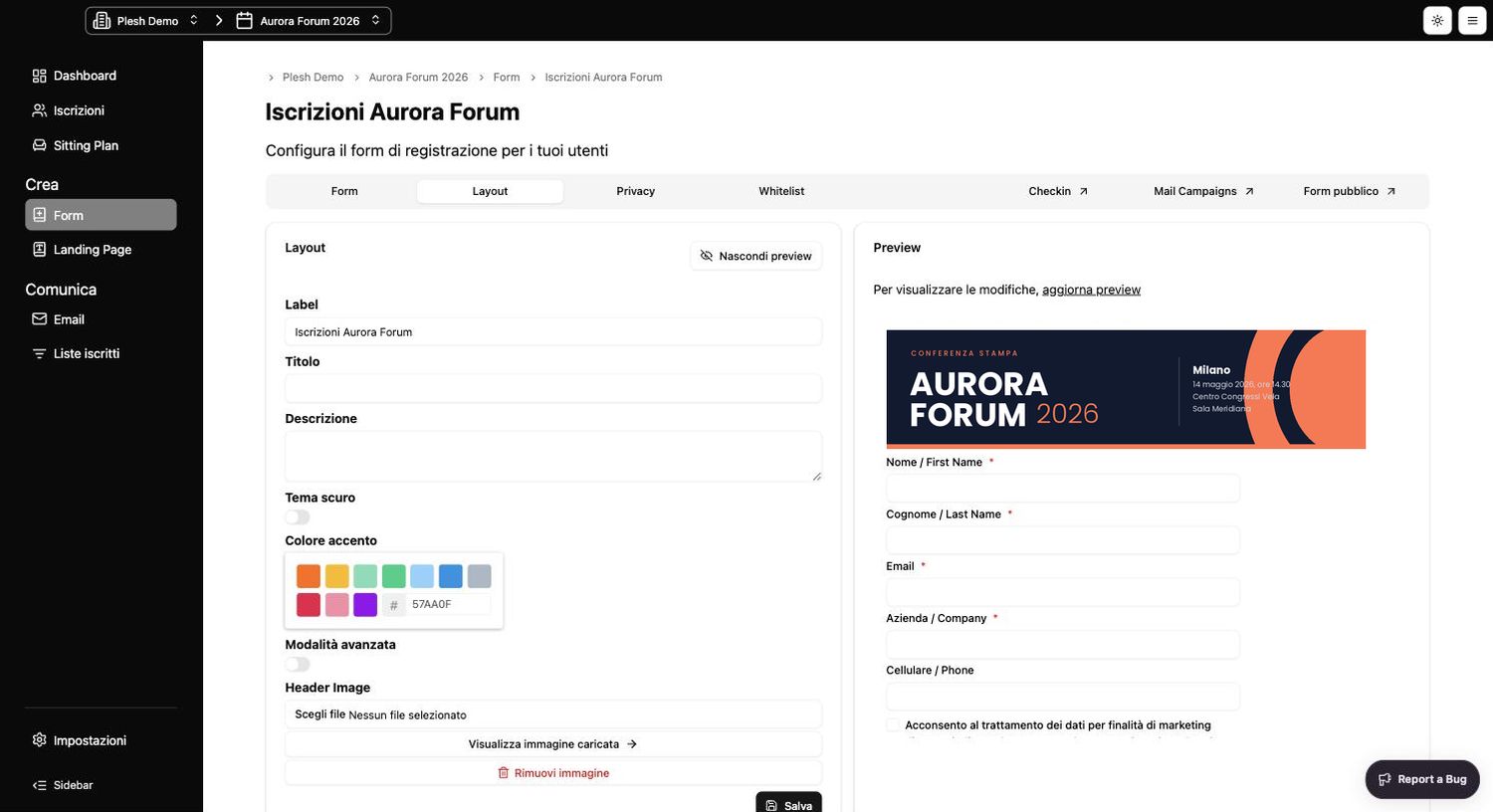
Every field can be required, visible only at check-in, reserved for the back office, or conditional on an earlier answer.
Customisation
From the Layout tab you choose theme, accent colour, background, text colour and header image, with the preview alongside.
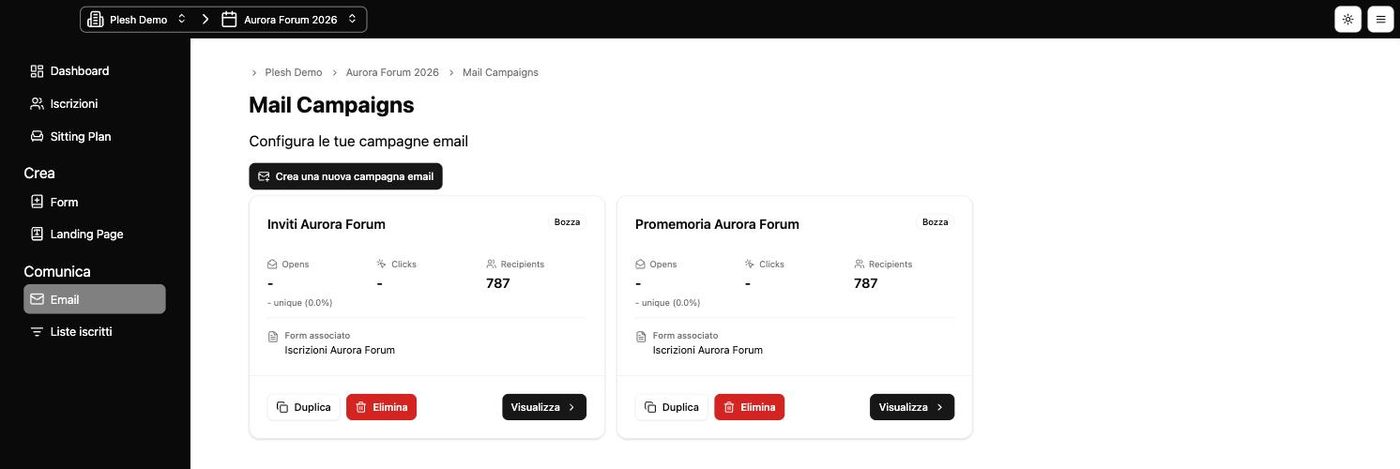
The emails
The sign-up confirmation goes out on its own. You build campaigns in the builder, schedule them and send them to whichever list you need.
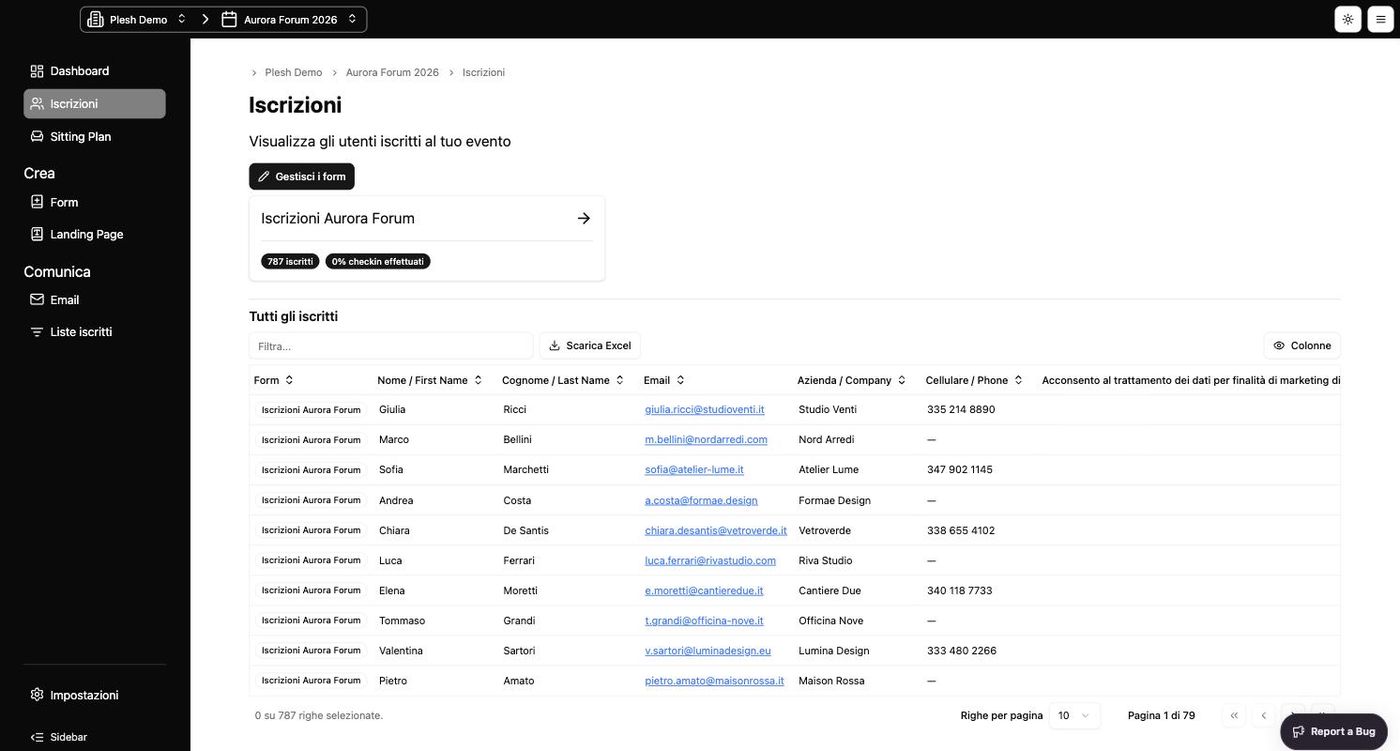
Sign-ups and lists
Every sign-up from every form of the event in a single view. Choose the columns, filter, fix a wrong value.
Check-in
Staff open a link, point it at the QR code and the person is in. With auto check-in there's nothing even to confirm.
Check-in: Iscrizioni Aurora ForumAurora Forum 2026 · Centro Congressi Vela
Sitting Plan
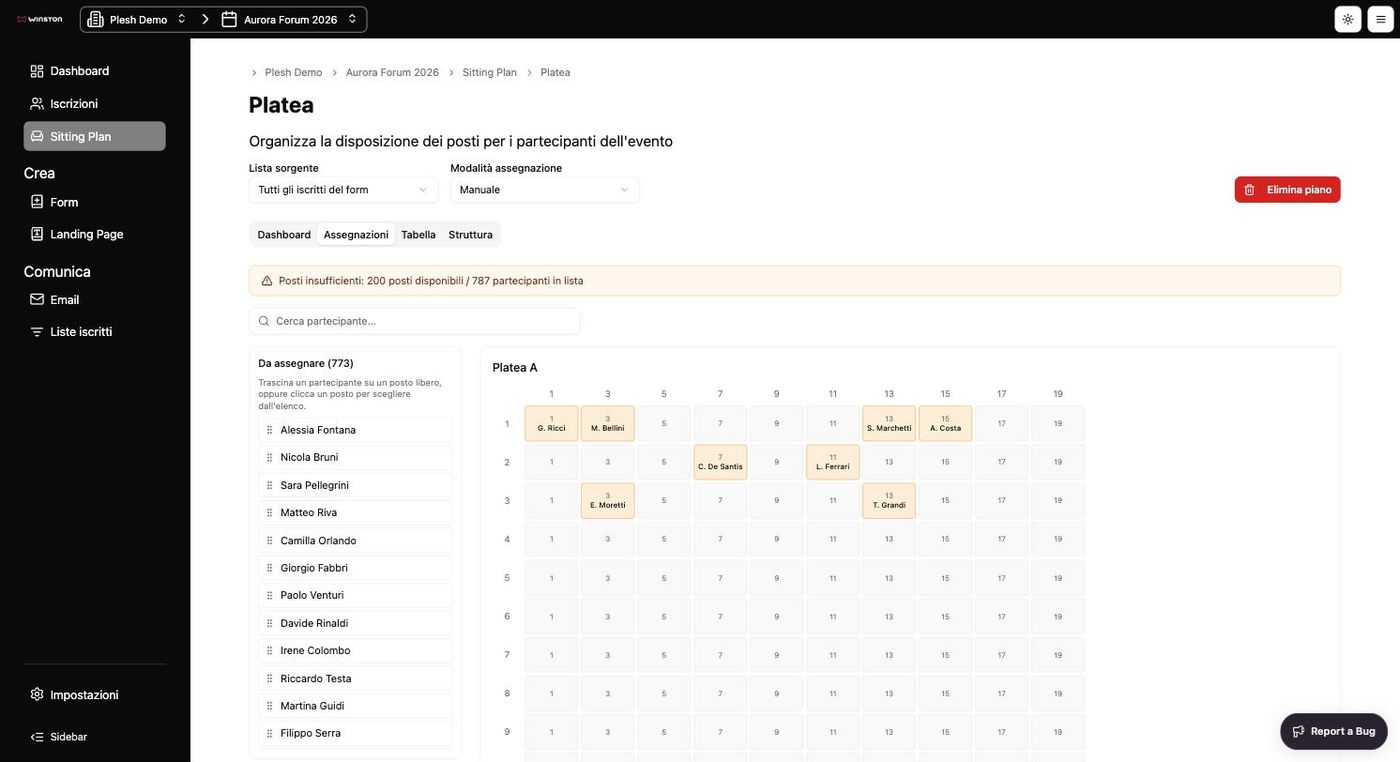
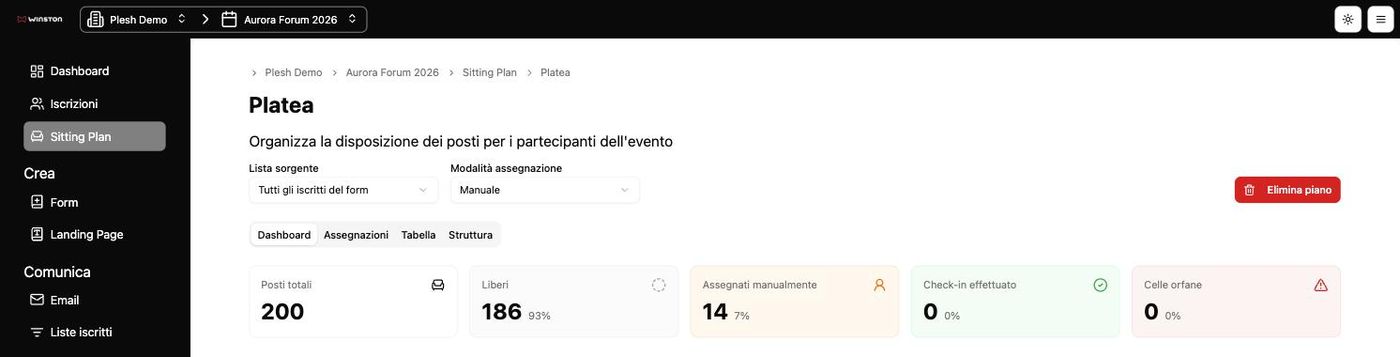
You build the room as tables or as a theatre, drag attendees into seats, or let Winston assign them at check-in.
The attendee's page
No attachments to hunt for, no PDFs to print. After signing up, the attendee gets an address that stays valid until the end of the event and updates itself whenever something changes.
A personal QR code, valid at the door and recognised if somebody tries to use it twice.
Apple Wallet, Google Wallet and .ics files with the date, time and place of the form they signed up to.
If there's a sitting plan, the seat appears front and centre as soon as it's assigned.
Flight, transfer, allergies, t-shirt size: you ask for them later with an extra form, without touching the one already published.
Hi GiuliaYour entry is confirmed.
Show this code at the entrance
The organiser has asked you for arrival, departure and transfer.
Complete nowHow it works
Fields, conditions, the client's brand and a cap on places.
An email campaign to your list, or a public link with a domain whitelist.
Automatic confirmation with ticket, wallet and calendar, in their own language.
By hand or at check-in. The attendee sees it on their page.
The QR code scanned from a phone. At the end of the day you know who was actually there.
Data and security
Winston is built by Plesh, certified ISO/IEC 27001 for information security. Every event is isolated, every role sees only what it needs to, and a full export is always one click away.
Thirty minutes together: you tell us what event you're facing, we show you Winston on your own numbers, and we work out whether it's the right answer.
In a hurry? Write to hello@plesh.co
Request received.
We will get back to you within one working day to set up the thirty minutes together. If you are in a hurry in the meantime, write to hello@plesh.co.